Frank — Local-first collaboration layer for things that aren't on the internet yet
Share unfinished work without deploying it.
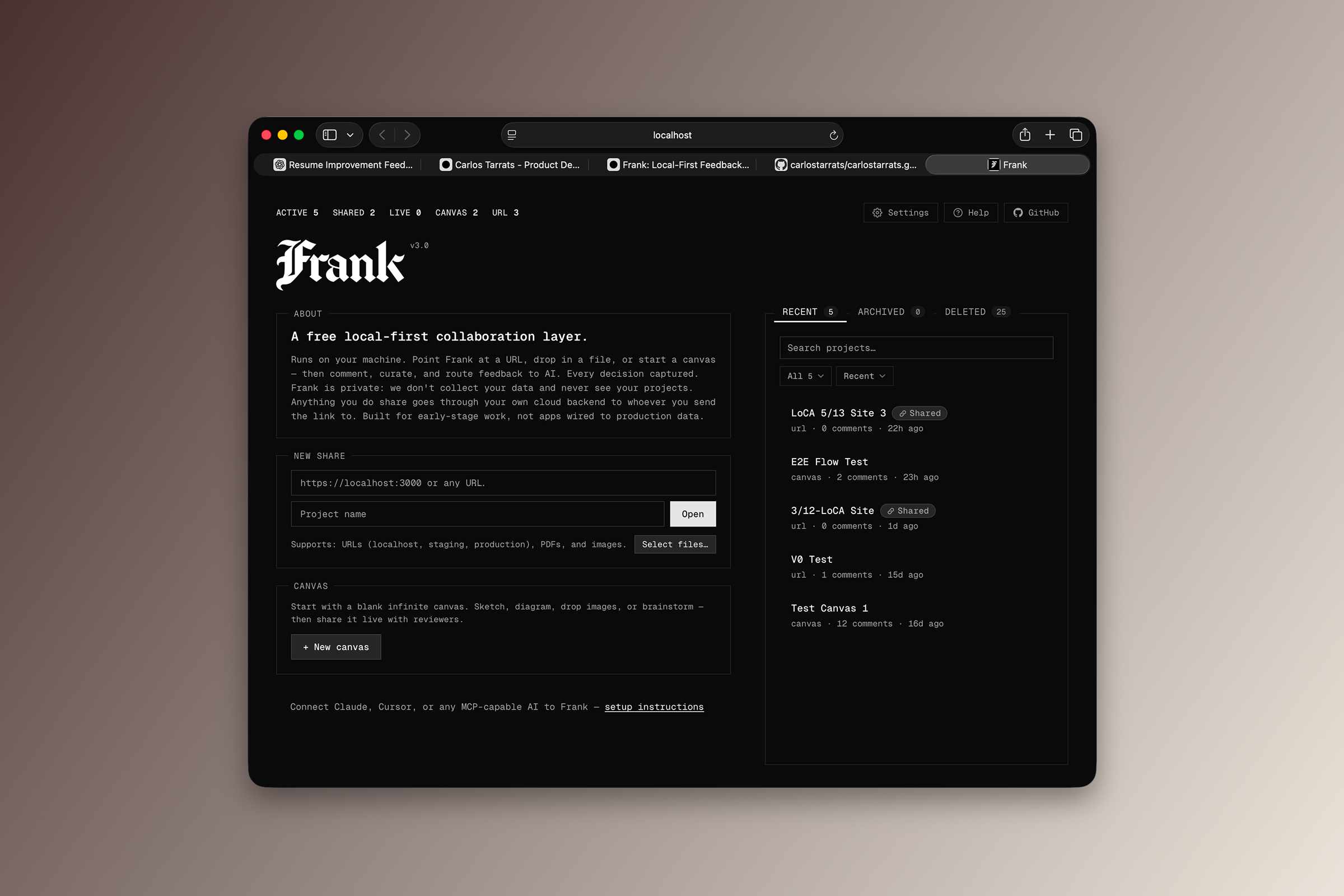
Frank runs locally on your machine. Point it at a URL, drop in a file, or start a blank canvas — then comment, curate feedback, and route everything into the AI tools you already use. A local-first collaboration layer for things that aren't on the internet yet.
Built for small builders who don't want or need to live inside large SaaS workflows. Nothing leaves your computer unless you decide to share it.
My Role
I designed and built Frank myself, owning the product direction, user experience, and development from the initial idea through the working tool.
Why I Built It
The idea started as a terminal helper for basic wireframing — a quick CLI for throwing rough frames on screen. That slowly turned into something bigger. Sharing those frames locally became the interesting problem.
What I wanted was something local and easy for getting feedback on unfinished projects. Built for small builders — people like me who don't want or need to live inside big SaaS tools. I saw a use case that wasn't being served and figured I could try it.
What It Does
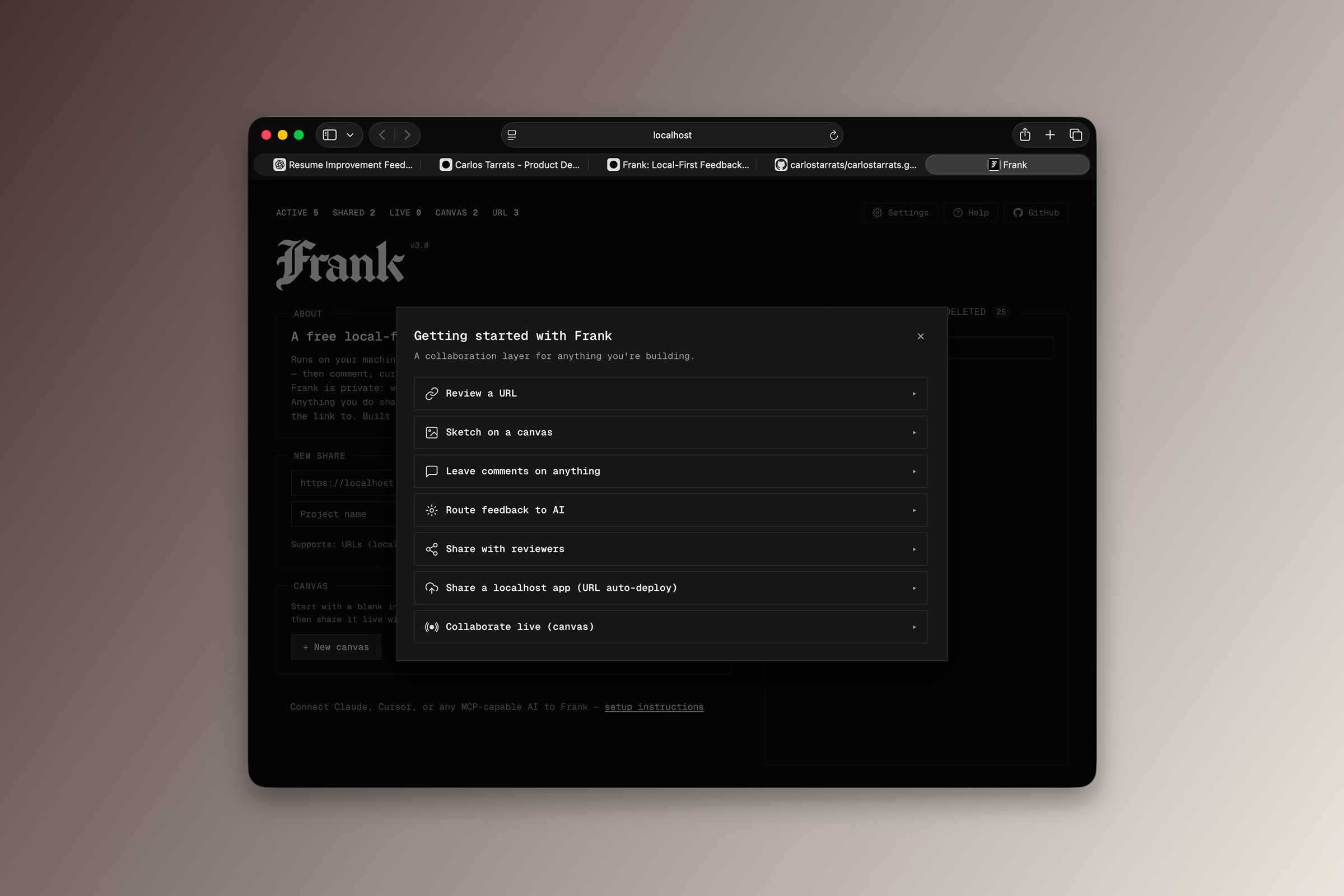
Four entry points, one feedback loop. Frank is a terminal tool — you start it from the command line and it opens a browser-based UI at localhost:42068.
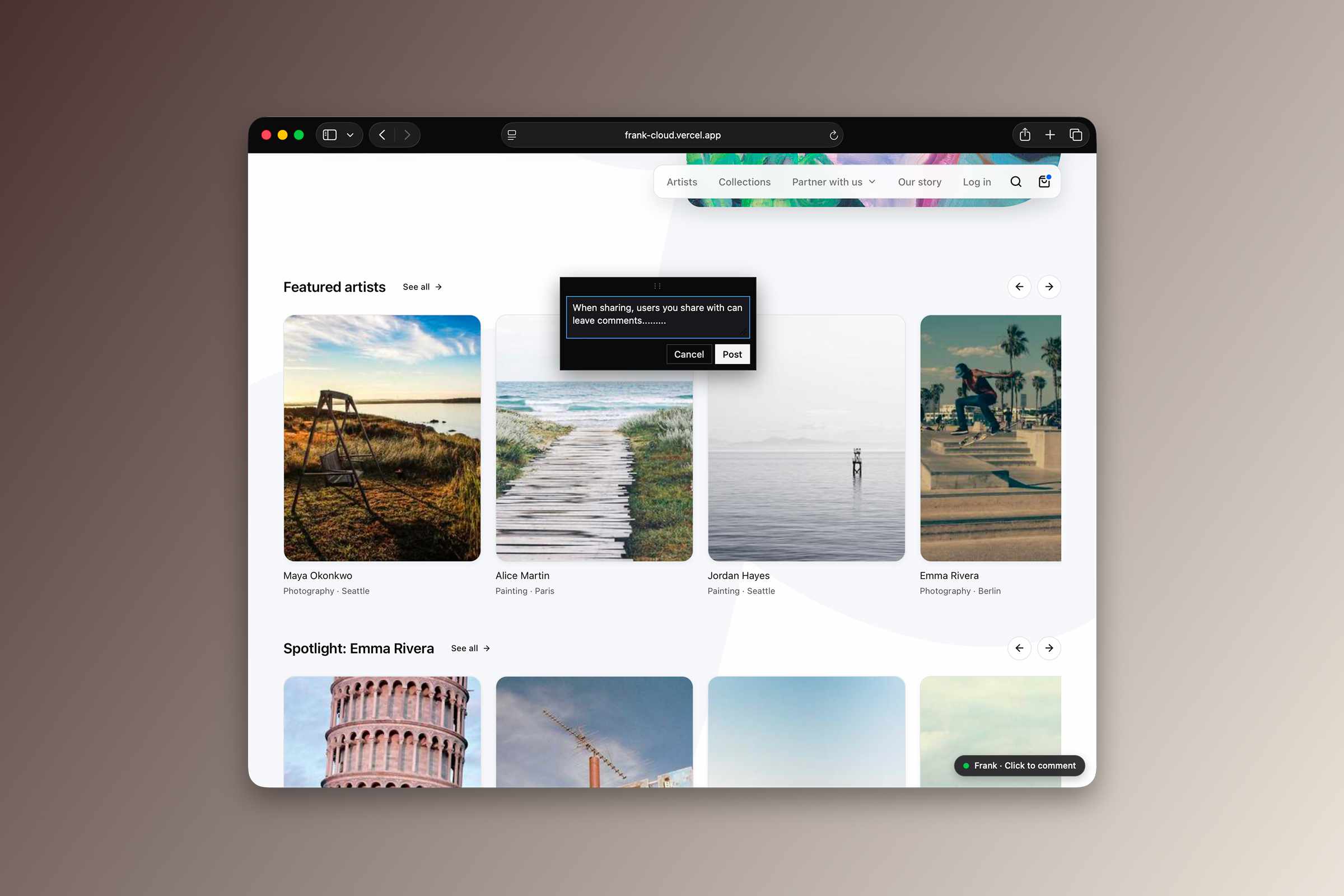
- Wrap any URL. Point Frank at localhost, a Vercel preview, or production. Click any element on the page to anchor a comment. A triple-anchor (CSS selector + DOM path + visual coordinates) keeps comments attached through refactors. Frank detects navigation inside the iframe and automatically proxies sites that block embedding.
- Drop a file. PDF or image (PNG, JPG, GIF, WEBP, SVG, up to 50MB). Frank opens it in a viewer and anchors comments to coordinates. Images support wheel-zoom.
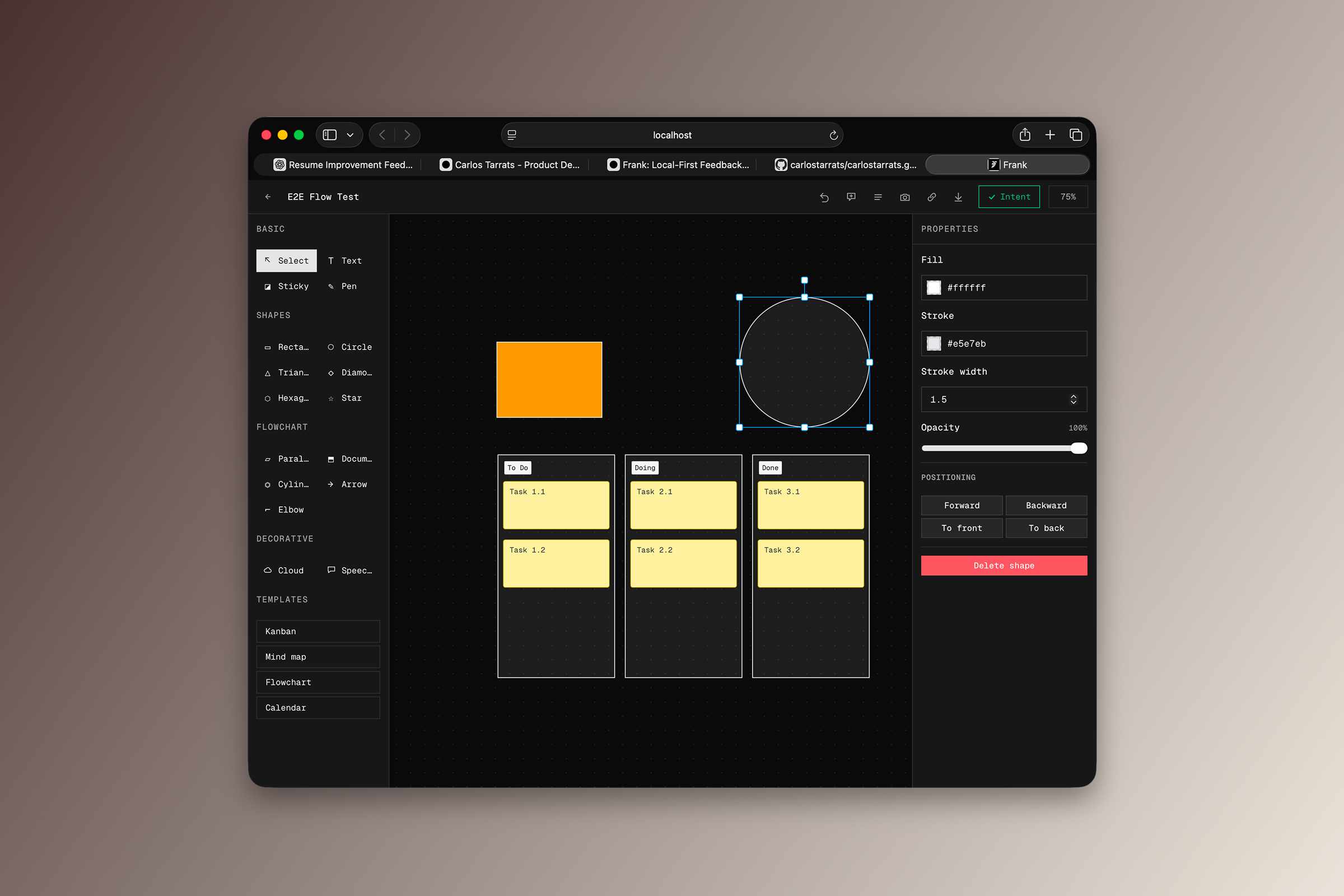
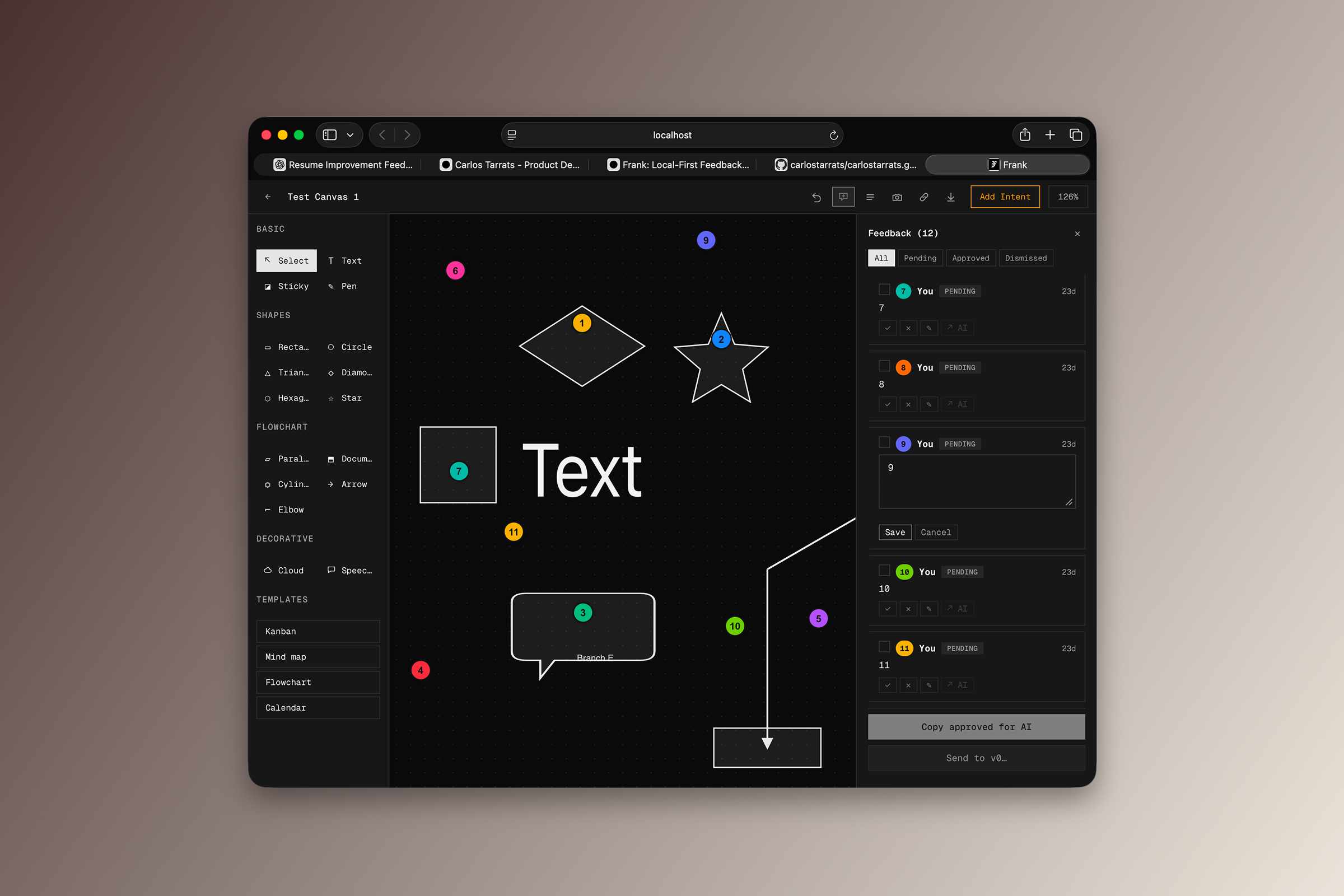
- Start a canvas. An infinite Konva-backed canvas with a full shape library — rectangle, circle, ellipse, triangle, diamond, hexagon, star, cloud, speech, document, cylinder, parallelogram — plus text, sticky notes, freehand pen, arrows, and elbow connectors that follow their source and target as you drag. One-click Kanban / Mindmap / Flowchart / Calendar templates. Drag-and-drop image placement. Shape-anchored comment pins that move with their shape.
- Curate and route. Approve or dismiss each comment. Set a project brief so Frank tells the AI what you're actually trying to build — not just a list of notes stripped of context.
From there, three paths to hand feedback to AI:
- MCP server. Frank exposes 15 tools to Claude, Cursor, or any MCP client.
- Copy as prompt. A structured prompt lands on your clipboard. Paste it anywhere.
- Export. JSON, Markdown, or PDF — comments, curations, and the full AI decision trail.
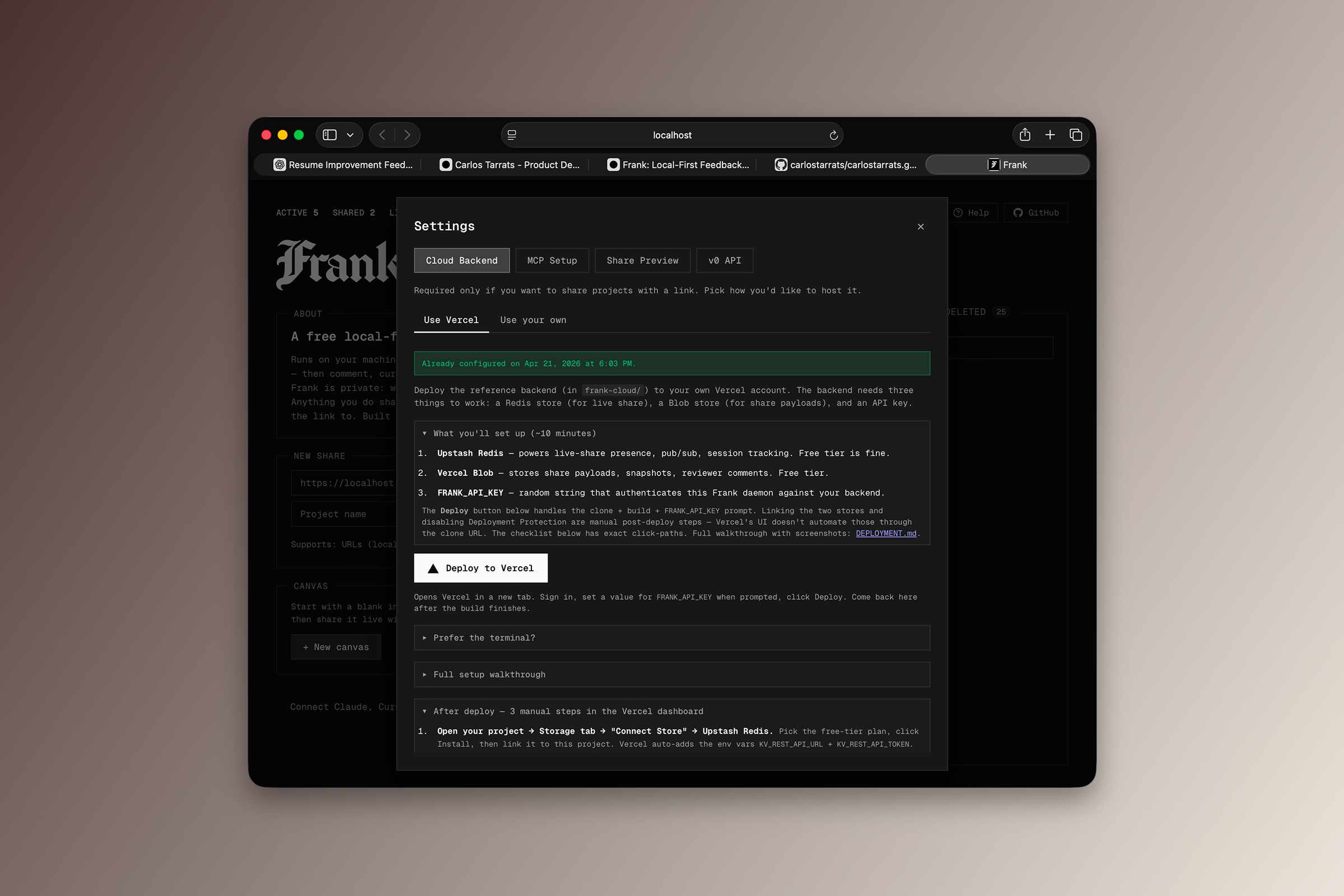
Sharing is optional. Async links work for any project type. A live canvas share streams every shape edit to open viewers in near real time over SSE.
For URL projects, Frank can auto-deploy a local project directory — Next.js, Vite, SvelteKit, Astro, Remix, or plain static HTML — to a preview on your own Vercel account. It runs an envelope check, a pre-flight build, a 30-second smoke test, and generates safe-dummy env values for Supabase, Clerk, Stripe, Sentry, Auth0, and PostHog. A same-origin comment overlay is injected at build time. Reviewers open the preview and interact with the real running app, not a screenshot. Revoke any time from the active-shares list.
You host the backend. A one-click Vercel reference implementation is included; any host implementing the seven-endpoint Cloud API contract works.
How It Works
Two packages. One local, one cloud.
The local daemon is Node.js + TypeScript and serves an HTTP + WebSocket server, an MCP stdio bridge, a content proxy, a content-addressed asset store, canvas state I/O, a bundle / report builder, and the URL share auto-deploy pipeline (envelope detection, allowlist bundler, pre-flight build, per-SDK env encoders, Vercel Deployments API client). Everything is written to ~/.frank/ on your machine.
The browser UI is plain JS ES modules with no build step — Konva loads via a script tag. jsPDF and svg2pdf are loaded from CDN on first export.
The optional cloud package is a small Vercel serverless project with Vercel Blob for payloads and Upstash Redis for live-share presence. Canvas exports go through Konva SVG svg2pdf for vector PDF; project reports go through pdfmake.
Local-First
Local by default. Project data, canvas state, uploaded files, image assets, and the full curation log stay in ~/.frank/ on your machine.
No telemetry, no analytics, no accounts. Frank makes no AI calls of its own — routing to AI happens over MCP, clipboard, or export, which means you pick the model and the terms.
API keys live in ~/.frank/config.json with 0600 permissions and never land in logs. Sharing is opt-in: when you share, a snapshot goes to your Blob storage and live-share state goes to your Redis. Frank's infrastructure is not in the loop.
The daemon warns before sharing if it detects emails, API keys, or passwords in the page.
 Hey, ask away.